
Navigation › Inventory › Processing › Inventory Items
Before the system can process manufacturing transactions, it needs inventory items. These items include raw materials, finished goods and more, and are used to construct a bill of materials. A bill of materials stipulates which raw materials and consumables are consumed out of stock to create finished goods items into stock.
Note: This article focuses on the simplest common use case for creating an inventory item.
To add a new inventory item, click New (Ctrl+N) on the toolbar. This opens a new blank Inventory screen on the Item tab.
Item Tab
On the Item tab, you have to complete the item's information, such as details and unit of measure.
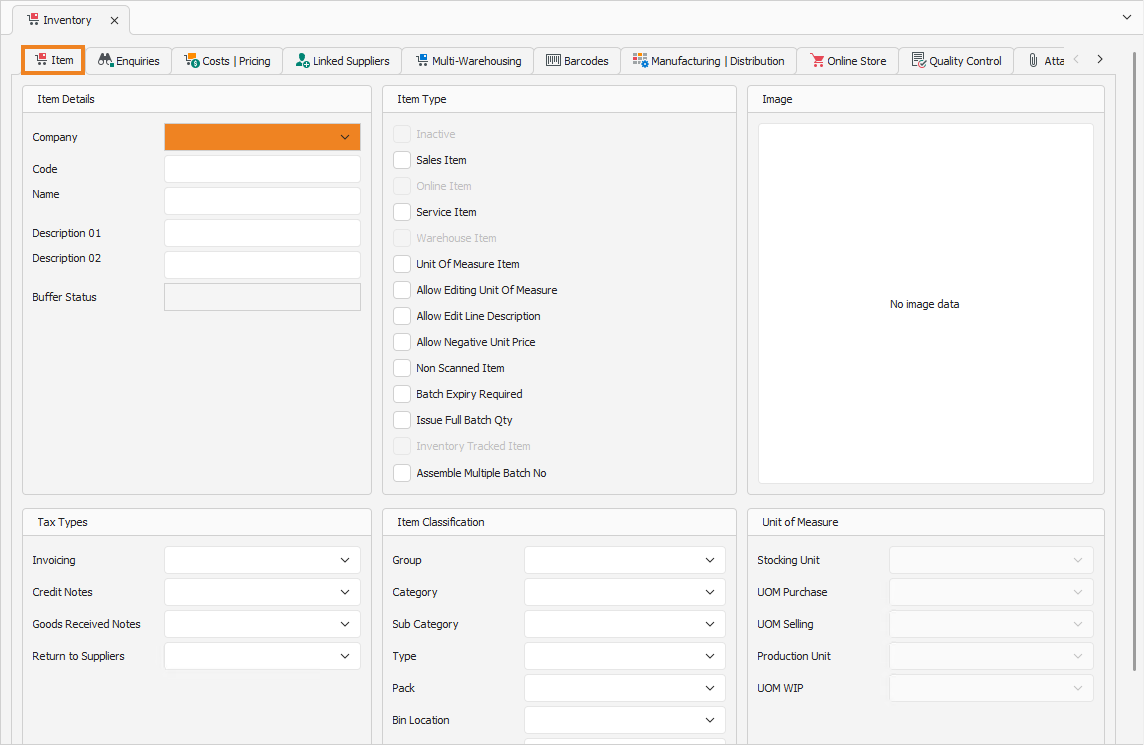
Item Details
- Select the Company for which the item is being created.
- Enter the item's Name.
- Enter the item's Description, if you wish. A second Description can also be added.
Tax Types
- Select the tax types for each transaction in the Tax Types section.
Item Classification
- Select the item Group in the Item Classification section.
Unit of Measure
- Select the correct units of measure in the Unit of Measure section.
Once done, click Save (Ctrl+S). This saves the item and generates a new sequential item code in the Code field. Click the Manufacturing | Distribution tab to continue.
Manufacturing | Distribution Tab
On the Manufacturing | Distribution tab, you have to complete the item's information that pertains to manufacturing and production, such as the item type and production costing method.
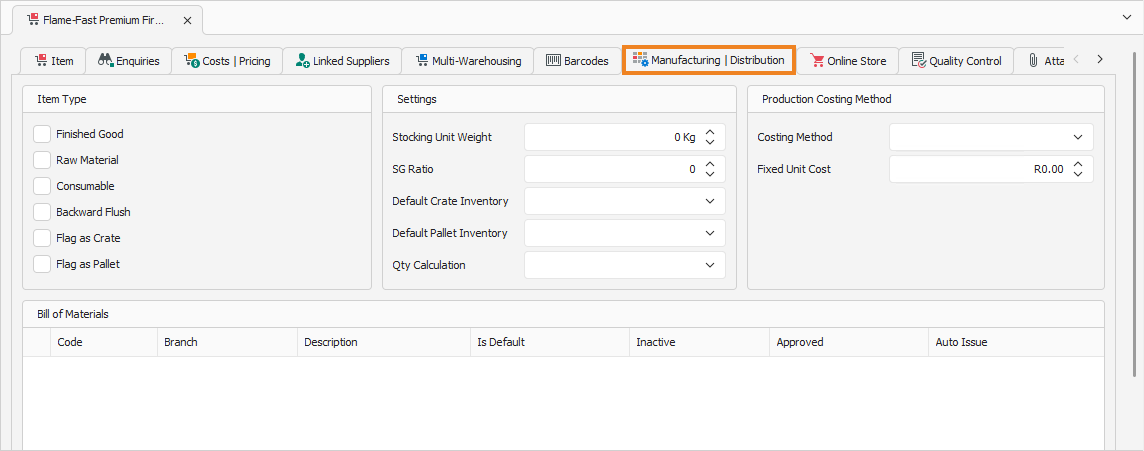
Item Type
Select the item's type:
- Finished Good: Used only as production output. Manufacturing consumes raw materials and consumables from stock and produces the finished good into stock.
- Raw Material or Consumable: Used only as production input. Consumed from stock during manufacturing to produce finished goods into stock.
- Backward Flush: Materials are deducted from stock after production, rather than being issued upfront.
- Flag as Crate or Flag as Pallet: Indicates the item is used for storage and transport.
Production Costing Method
Select the costing method to use during production:
- Use Fixed Unit Cost: Use the Fixed Unit Cost defined below.
- Use Bill of Material Cost: Use the calculated bill of material cost.
- Use Actual Cost: Use the actual item cost after production.
- Fixed Unit Cost: Applied when Use Fixed Unit Cost is selected above.
Once done, click Save (Ctrl+S). This saves the item. You can also press Ctrl+Enter to save and close the item.