
Navigation › Production › Processing › Assemblies
An assembly consumes raw materials and consumables out of stock to create finished goods items into stock. Before an assembly can be created, the relevant inventory items and bill of materials must exist.
Note: This article focuses on the simplest common use case for creating an assembly.
To add a new assembly, click New (Ctrl+N) on the toolbar. This opens a new blank Assembly screen on the Assembly tab.
Note: Depending on your configuration, some fields are automatically populated when selections are made.
Assembly Tab
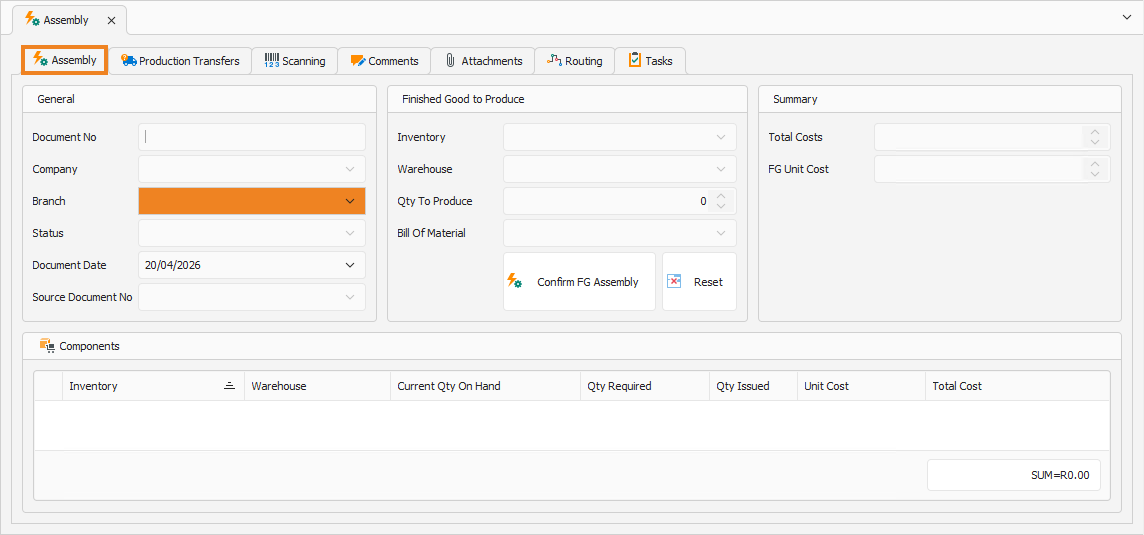
On the Assembly tab, you have to complete the assembly's information, such as general and finished goods details.
Assembly
- Select the Branch for which you are creating the assembly.
- Document Date automatically populates to the current date. This date can be updated if required.
Finished Good to Produce
- Select the Inventory item to produce.
- Confirm the Warehouse where the finished goods items are placed into stock after production.
- Enter the Quantity To Produce.
- Confirm the Bill Of Material to use.
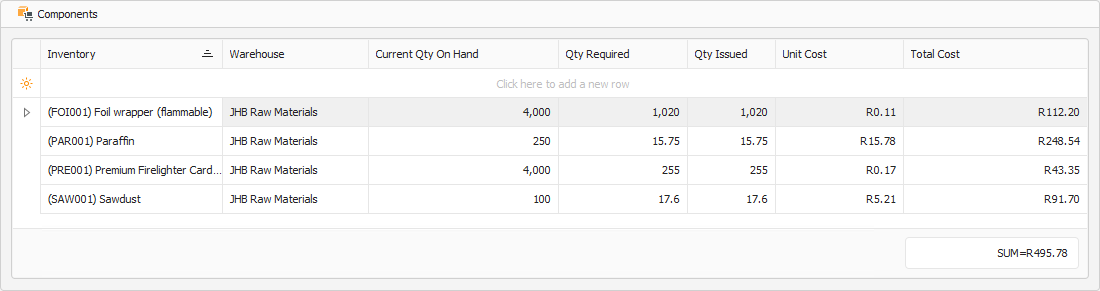
- Click Confirm FG Assembly. This automatically populates the Components section with the raw materials and consumables needed to produce the indicated number of finished goods. Click Reset to clear the Components section.
Components
The Components section displays the total amounts of raw materials and consumables consumed to produce the indicated number of finished goods.
Summary
Once the Components are populated, the Summary section is updated with the assembly cost.
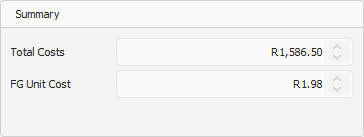
- The Total Cost field displays the total cost of raw materials and consumables to produce the indicated number of finished goods.
- The FG Unit Cost field displays the cost to produce a single finished good item.
Once done, click Save (Ctrl+S). This saves the assembly. You can also press Ctrl+Enter to save and close the assembly.